Best Xbox Series X|S Setup: Which Console and What to Add
Disclosure: This post contains affiliate links. If you buy through them, TCGgear may earn a small commission at no extra cost to you. As an Amazon Associate I earn from qualifying purchases. Learn more.
Xbox is the best value pick if you want access to a huge library through Game Pass. There are really only a few choices to make: Series X or Series S, disc or digital, and what you add to it. Prices have changed several times in 2026, so we link to Amazon for today's price rather than listing one.
Quick picks
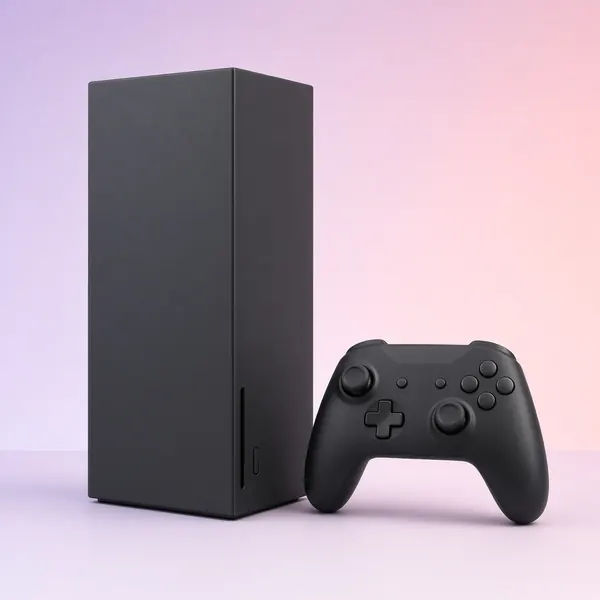
Xbox Series X (disc drive)
Our top pick for 4K TVs, physical games, best overall Xbox.
Check price on Amazon →Xbox Series X Digital Edition
Our top pick for series X power, digital-only.
Check price on Amazon →Xbox Series S
Our top pick for budget, kids' rooms, 1080p/1440p screens.
Check price on Amazon →Series X vs. Series S
Xbox Series X: the full experience
The Series X is Microsoft's most powerful console. It's aimed at 4K TVs and has the most storage. The standard version includes a 4K Blu-ray disc drive, which also means it plays physical games and movies. It has some of the best backward compatibility of any console, so lots of older Xbox games run on it.
Who it's for: anyone with a 4K TV, and people who want the best-looking version of every Xbox game.
Xbox Series X Digital Edition
Same performance as the regular Series X, but no disc drive. Choose it only if you buy everything digitally or play mostly through Game Pass.
Xbox Series S: the budget pick
The Series S is smaller and cheaper. It targets lower resolutions than the Series X and has no disc drive. It's a great second console, a good fit for a kid's room, or a match for a 1080p or 1440p monitor. The main downside is storage. The base model fills up fast, so many buyers end up adding a storage card. There's a larger-storage version as well.
Who it's for: budget buyers, Game Pass players, small spaces, and smaller screens.
Accessories worth adding
A second Xbox Wireless Controller
The standard Xbox controller is comfortable and works with both Xbox and Windows PCs. If you want something more premium, see the Elite Series 2 in our controllers guide.
Rechargeable battery pack
Xbox controllers still run on AA batteries by default. A rechargeable pack, or a charging dock, saves money and hassle over time.
Storage Expansion Card
Xbox Series consoles use a proprietary expansion slot on the back. The Seagate Storage Expansion Card is the well-known option made for it. Games run from it just like from internal storage. You can also store (but not play) Series X|S games on a regular USB external drive, which is cheaper for archiving.
External USB hard drive (for backups)
A cheap option for holding older Xbox One games, or for parking Series games you aren't playing right now.
A headset
Microsoft's Xbox Wireless Headset connects straight to the console without a dongle. Many third-party headsets also come in specific Xbox versions. Check for "Xbox" in the name, because the PlayStation version of a wireless headset often won't connect to an Xbox. Full picks are in our headsets guide.
What to skip
- Generic controller "battery packs" with no reviews. Stick with well-reviewed brands.
- Paying extra for "bundles" that only add a cheap accessory. Compare against the console alone.
- A Series S for a big 4K TV if you can stretch to the Series X. It works, but you'll notice the difference.
Game Pass
Game Pass is Microsoft's subscription with a rotating library of games. Plans and prices have changed recently, so check Xbox's site for the current tiers before you buy. [VERIFY]
Bottom line
Get the Series X with disc drive for a living-room 4K TV. Get the Series S for a budget setup or a second room. Then add a rechargeable battery and a storage card if you install a lot of games.